GO IV 計算從相簿選 1 張遊戲內精靈摘要截圖,在裝置上辨識名稱、CP、HP 與強化星塵,並依圖鑑數值反推可能的 IV 組合與等級。計算、歷史與收藏都留在這台 iPhone 或 iPad。
產品介紹
- 摘要截圖:一次一張。讀得到名稱、CP、HP 與強化星塵就直接顯示結果。圖裡缺這些資料時會提示錯誤,不會寫進歷史。
- 三個 Tab:底部是「精靈」(圖鑑)、「IV」、「收藏」。圖示分別是足跡、函數與星星。
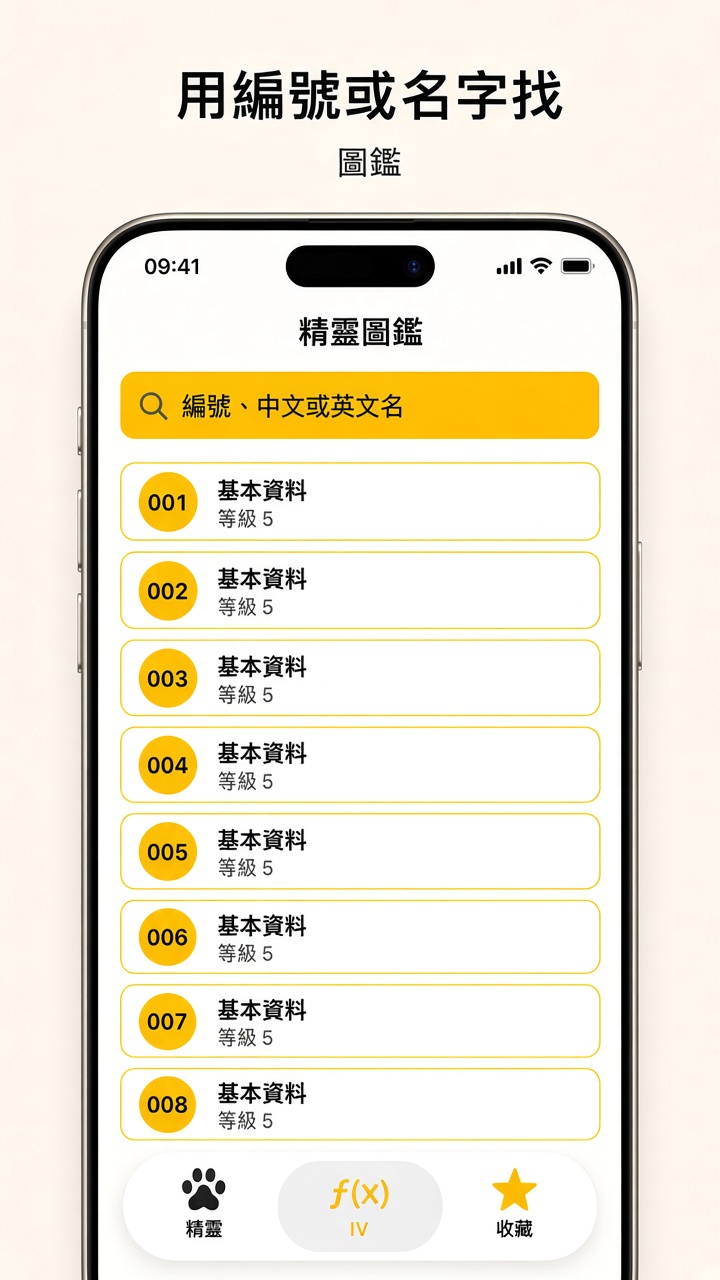
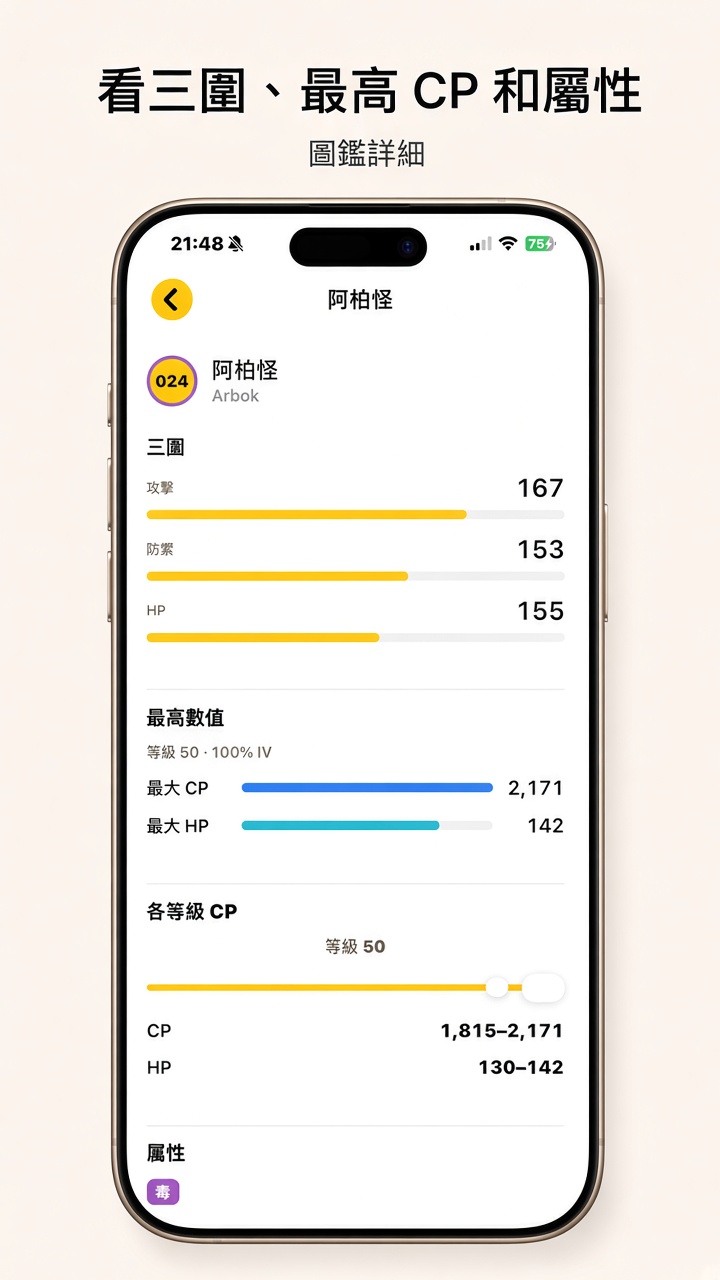
- 圖鑑:用編號、中文或英文名搜尋,點牌卡看三圍、屬性、進化、技能,以及各等級 CP、HP。進化後等級 50 的最大 CP、HP 只作參考。圖鑑資料可從 Firebase Storage 的
catalog/species.json更新;離線時用 App 內建備份。 - 訓練師等級:可選。用來對齊摘要上的等級範圍,不進入 CP 公式。沒設定時,同一組星塵仍可能對應兩個等級。
- 結果:百分比環、攻擊/防禦/體力 IV、等級滑桿與下一步建議。可開啟好夥伴加成,看該等級加成後的 CP、HP。範圍很寬時圓環會顯示「?」。結果頁不列出聯盟對戰區間。
- 本機資料:歷史只存辨識結果與相簿識別碼,不存截圖檔。收藏只存你點下的那一組 IV。
- 廣告:IV 頁在「幫精靈評價」下方可能出現原生廣告,結果頁底部可能有橫幅。圖鑑與收藏第一層沒有廣告。第一次會問相簿權限;廣告可能再問追蹤許可(ATT),拒絕後改為非個人化。細節見隱私權。
操作手冊
下面的圖鑑、IV、結果與收藏是不含遊戲內畫面的介面示意。選圖權限與訓練師等級仍是模擬器畫面。實機字級可能略有不同。
1. 圖鑑
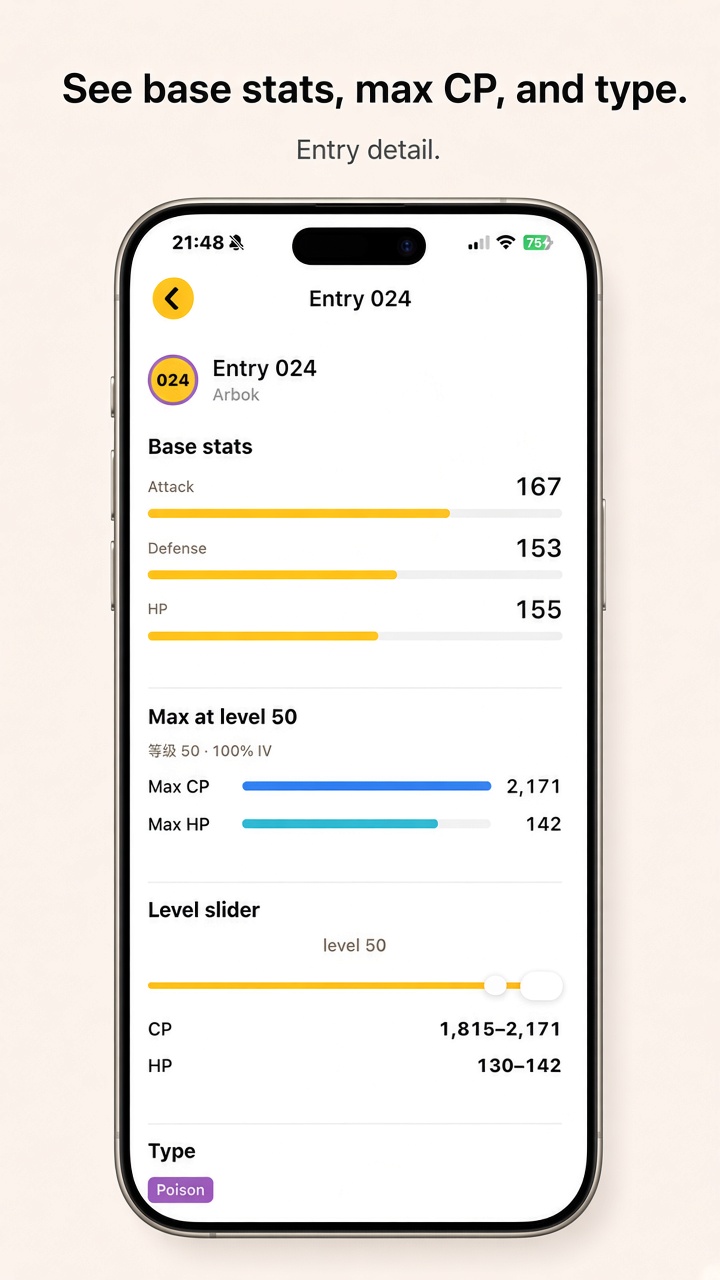
點底部「精靈」。搜尋框可填編號、中文或英文名。點一列進入詳細頁,可看三圍、屬性、進化鏈、技能,並用滑桿看各等級的 CP、HP 範圍。進化後等級 50 的最大 CP、HP 標在進化區,只供對照。圖鑑頁不計算 IV,也沒有廣告。
2. IV 與選圖
- 在遊戲裡打開一隻精靈的摘要(畫面上要有 CP、HP 與強化星塵),截一張圖存進相簿。
- 打開 App 的 IV Tab,點黃色按鈕「幫精靈評價」。
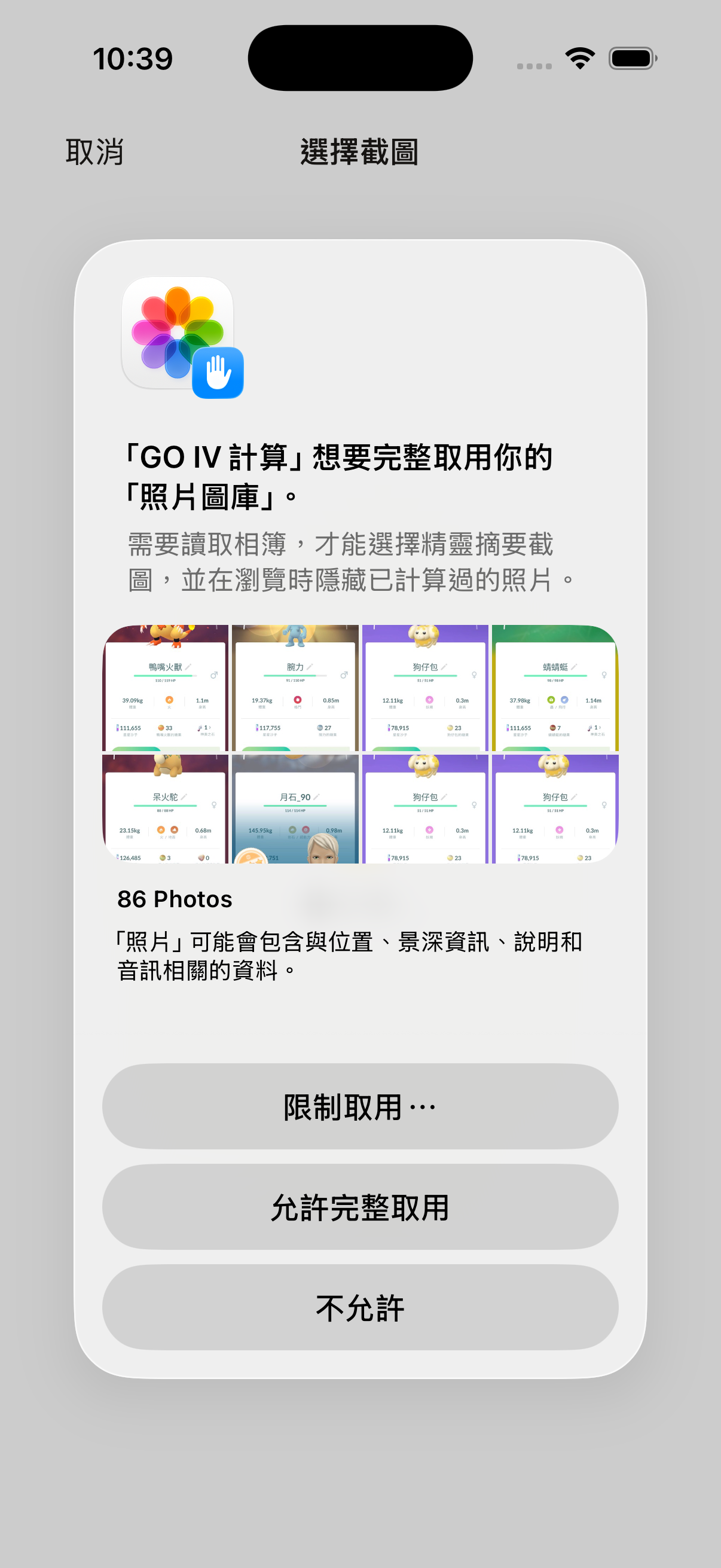
- 第一次選圖會詢問相簿權限。請允許存取,App 才能列出照片。說明見隱私權。
- 在格狀清單點一張摘要。畫面上會先顯示「辨識中」,接著「計算中」。
- 辨識成功後,同一頁蓋上結果。可加入收藏,或點關閉回到 IV 頁。
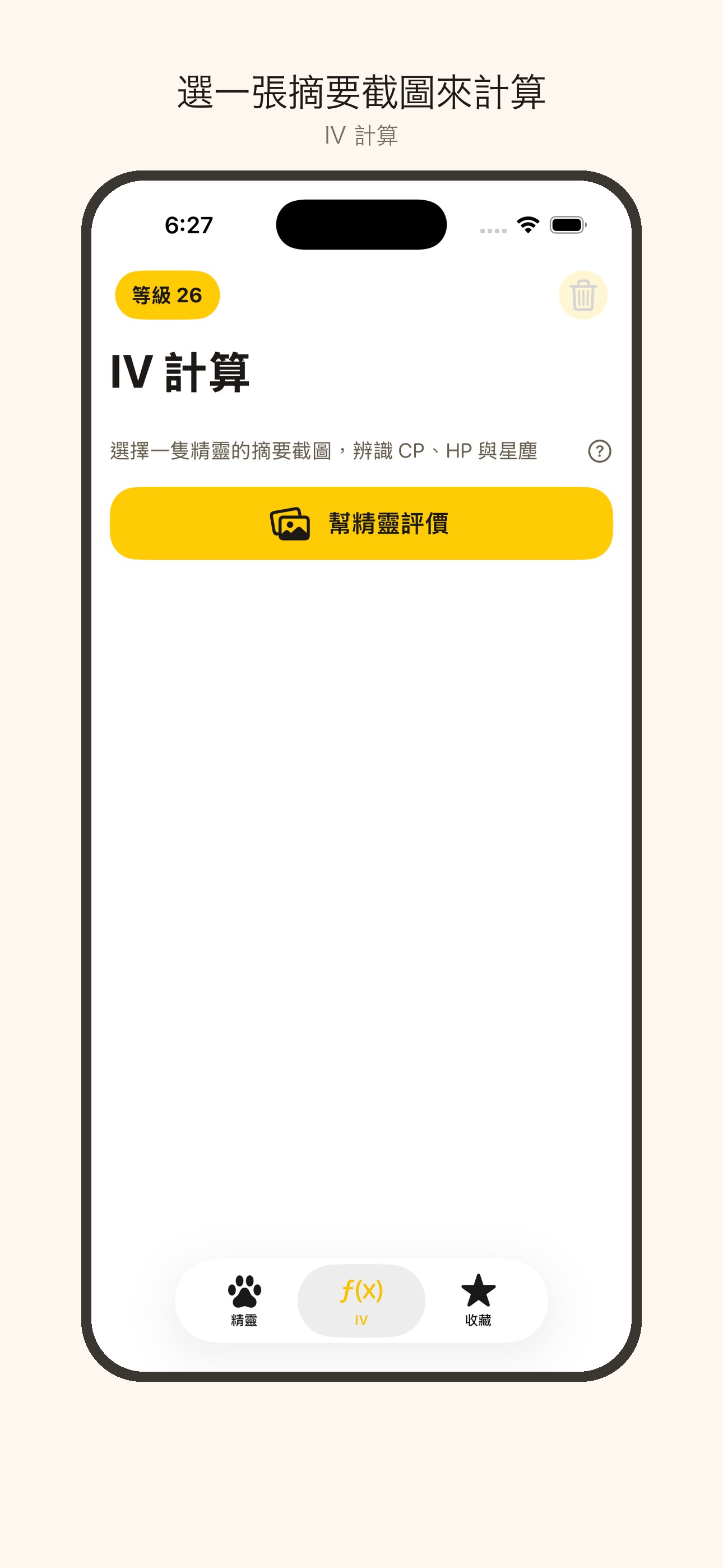
黃色按鈕下方可能有一則原生廣告,再往下是計算歷史。問號會說明:歷史留 90 天、沒有筆數上限、左滑可刪一筆;收藏不會過期。
3. 訓練師等級
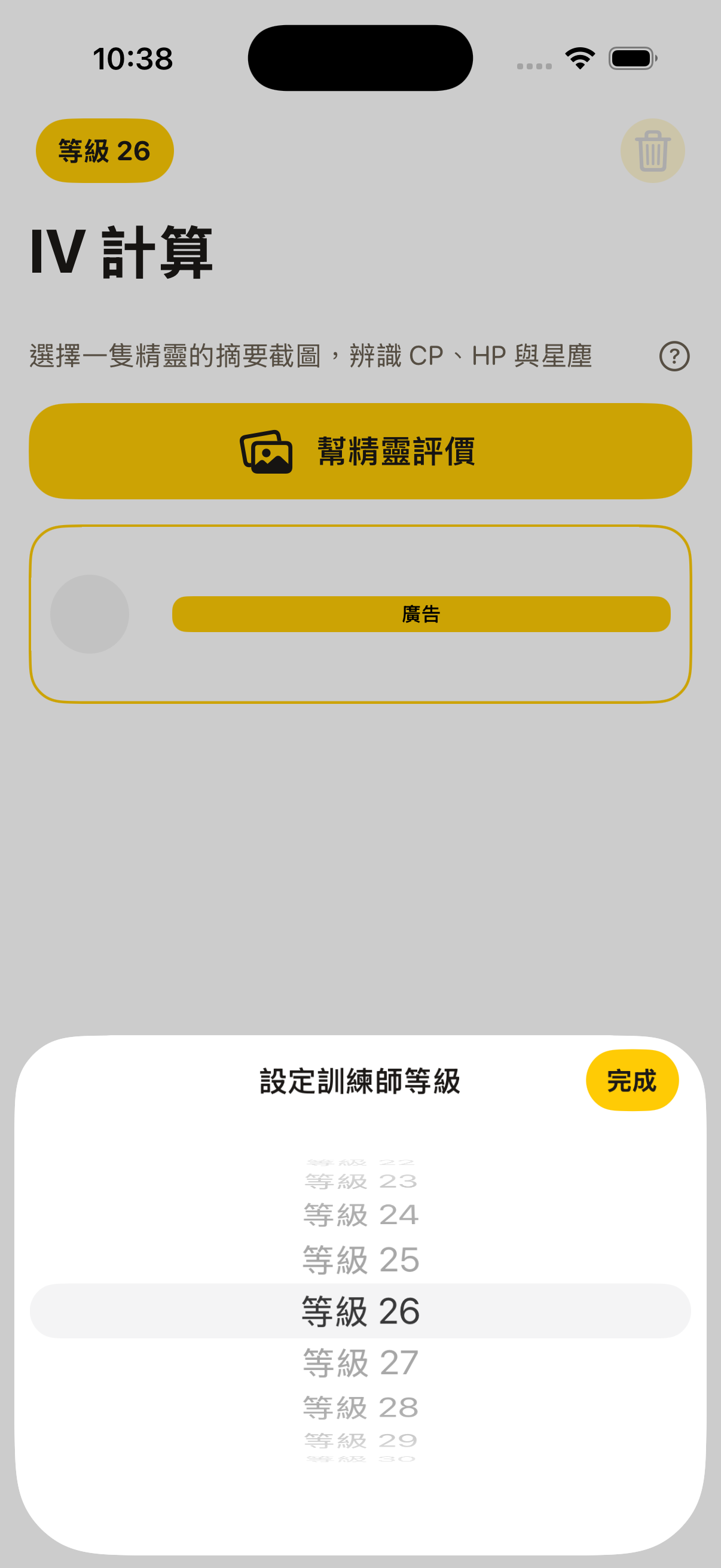
IV 頁左上角黃色膠囊是訓練師等級,可設 1–50,或選不設定,再點「完成」。它只用來對齊摘要上的等級,不改 CP 算法。同一組星塵若仍對到兩個等級,結果頁會請你核對訓練師等級,或強化一級再算。
4. 結果與收藏
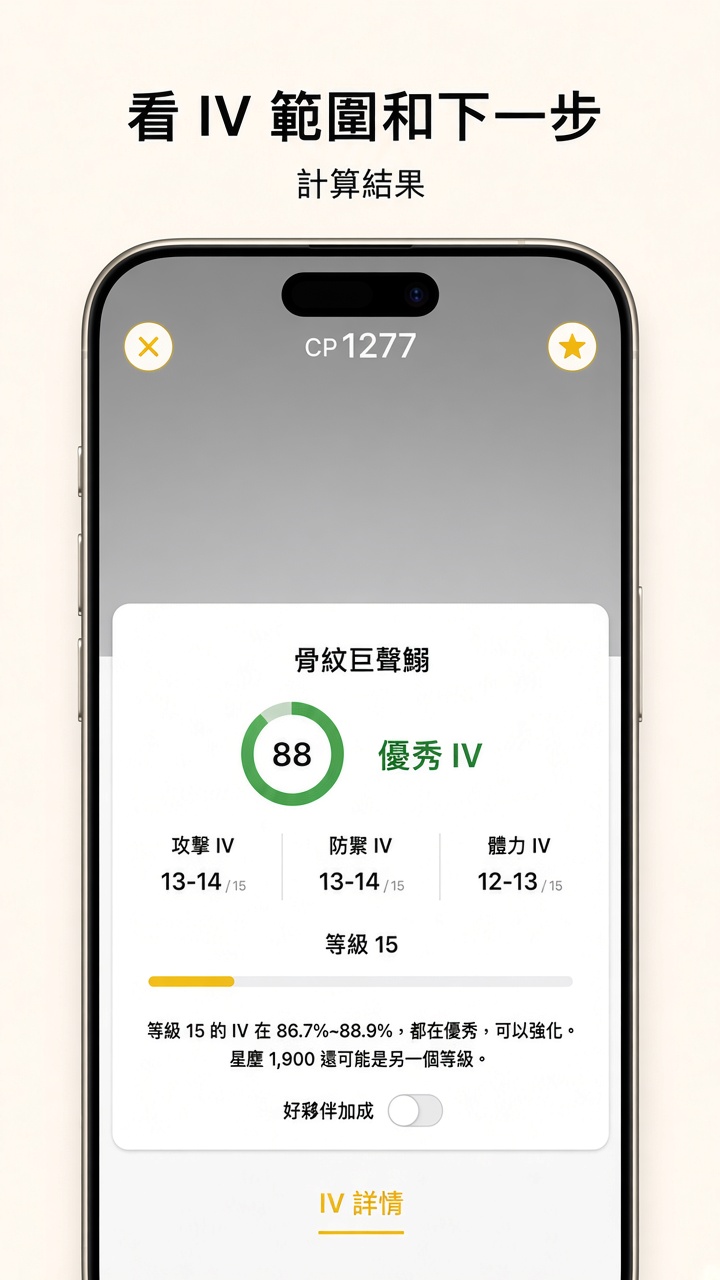
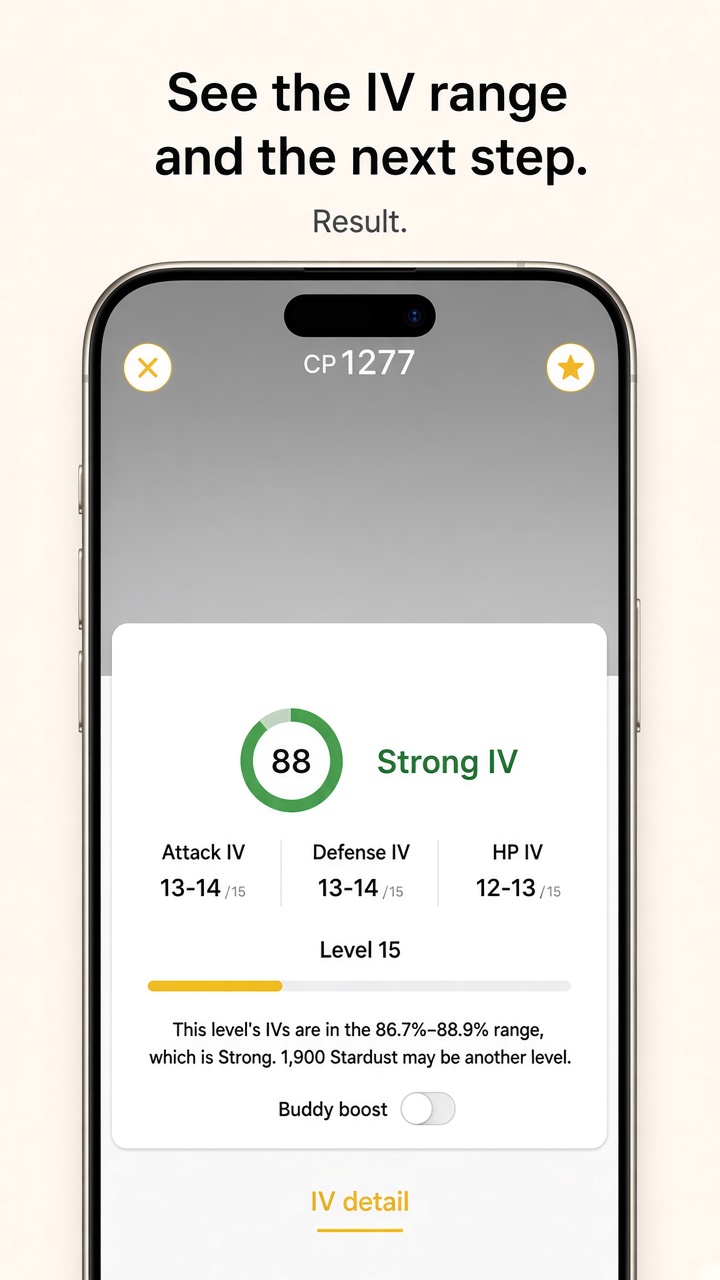
結果頁有百分比環、攻擊/防禦/體力 IV、等級滑桿與建議。範圍超過約 20 個百分點時,圓環顯示「?」。打開「好夥伴加成」後,該等級的 CP、HP 會標出加成後的數字。右上角星號把目前這一組存進收藏。左上角關閉回到 IV 頁。結果頁底部可能有橫幅廣告。這一頁不顯示聯盟對戰區間。
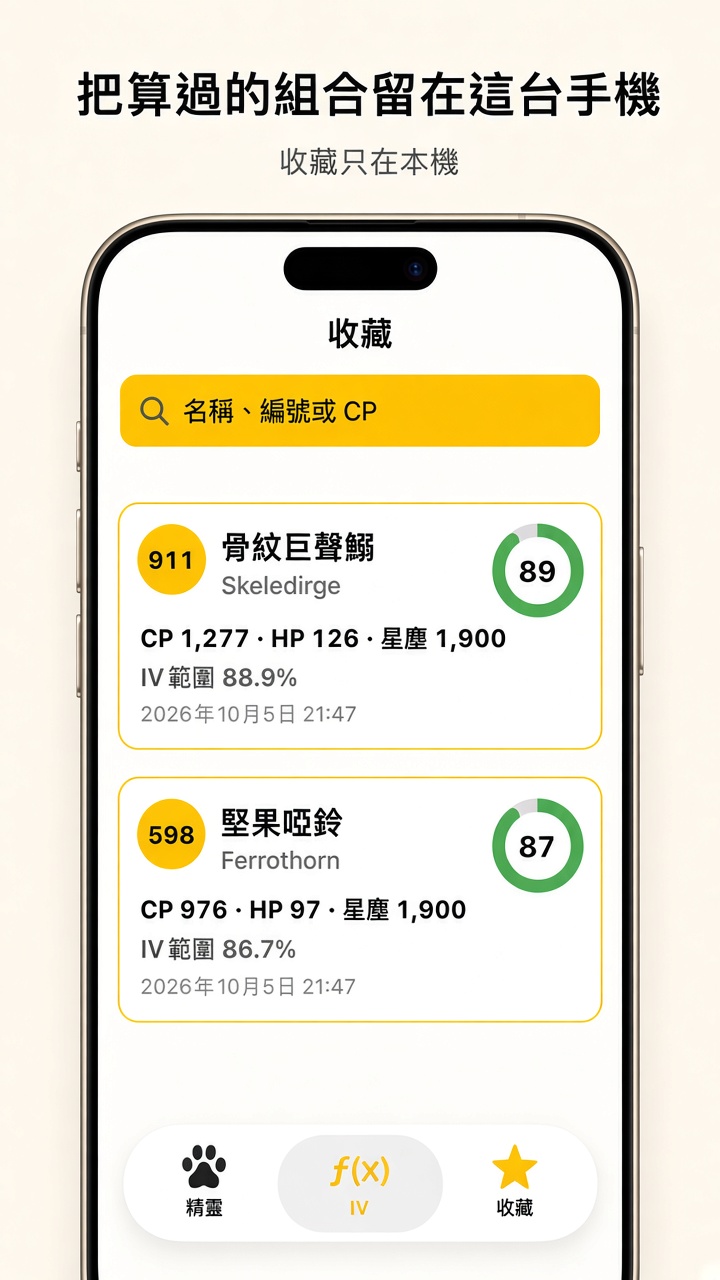
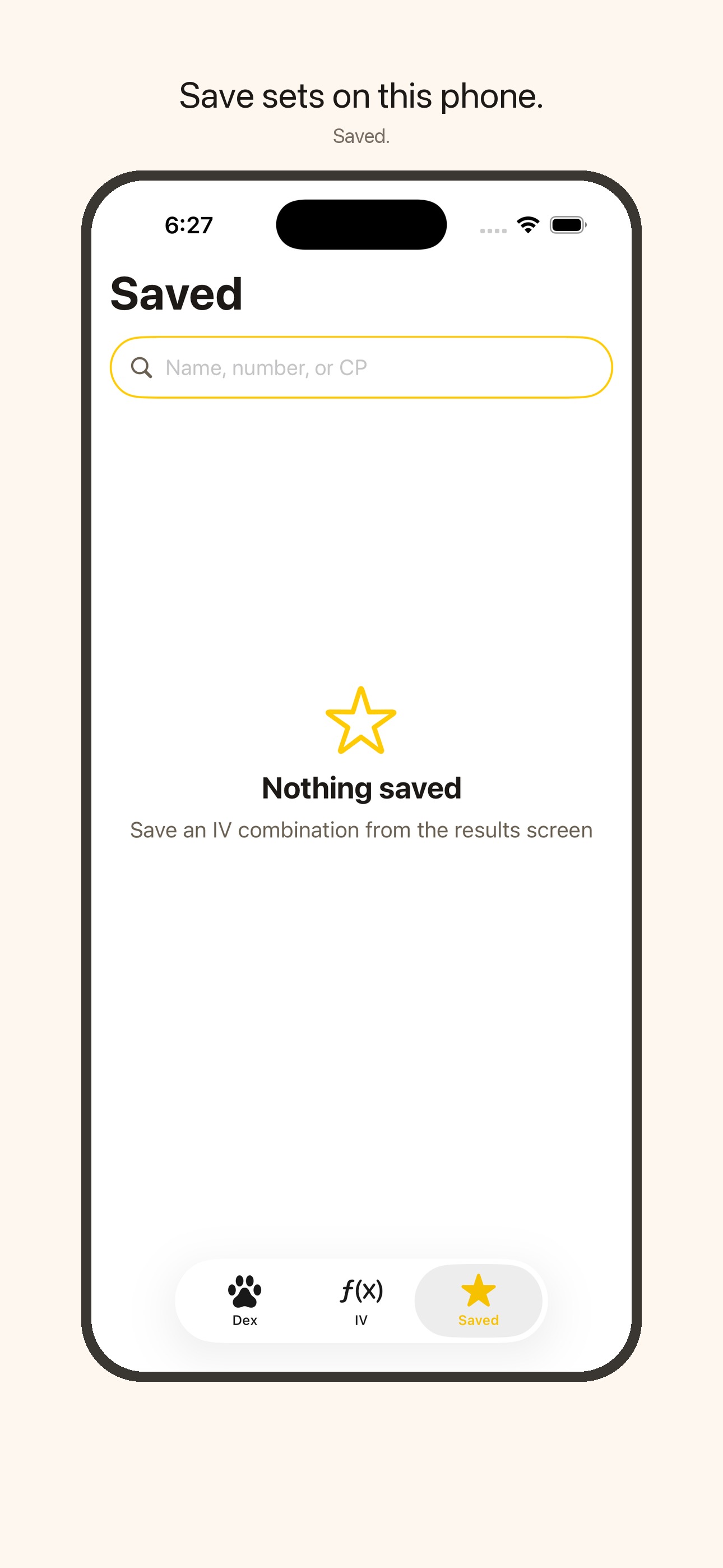
底部「收藏」可搜尋名稱、編號或 CP。點牌卡會先顯示「載入中…」,再開結果,而且只呈現當初收藏的那一組 IV。收藏第一層沒有廣告。
5. 歷史與相簿排除
- 計算成功後,這張照片的相簿識別碼會記在歷史。下次開選圖格,同一張摘要會被隱藏。
- 在 IV 頁左滑可刪一筆歷史。右上角垃圾桶會先詢問,再清除全部歷史,不會刪收藏。刪掉之後,那張照片會重新出現在選圖格。
- 打開 IV 頁時,超過 90 天的歷史會清掉。收藏不受影響。
GO IV Calculator reads one in-game summary screenshot from your photo library, recognizes the name, CP, HP, and power-up stardust on your device, and estimates possible IV sets and level. History and favorites stay on that iPhone or iPad.
About the app
- One screenshot: If the name, CP, HP, and power-up stardust are readable, the result opens immediately. A missing value shows an error and is not saved to history.
- Three tabs: Dex, IV, and Saved. The icons are a paw, a function, and a star.
- Dex: Search by number or name, then open a page for base stats, type, evolution, moves, and CP/HP by level. Level-50 max CP and HP after evolution are reference figures. Catalog data can refresh from Firebase Storage (
catalog/species.json) and uses the copy bundled in the app when offline. - Trainer level: Optional. It lines up the level range on the summary and is not part of the CP formula. With it unset, one stardust cost can still match two levels.
- Results: A percent ring, attack / defense / HP IVs, a level slider, and a next step. Buddy boost shows that level’s boosted CP and HP. A wide range shows “?” in the ring. League rankings are not shown here.
- On this device: History stores the reading and a photo identifier, not the image file. Saved stores only the IV set you starred.
- Ads: The IV tab may show a native ad under Appraise, and the results screen may show a banner. The Dex list, Dex detail, and Saved list do not. The app asks for photo access, and ads may ask for tracking permission (ATT); declining uses non-personalized ads. Details are on the Privacy page.
User guide
The Dex, IV, results, and Saved pictures are interface mockups with no in-game artwork. The photo-permission and trainer-level pictures are simulator screens. Type size may differ on a device.
1. Dex
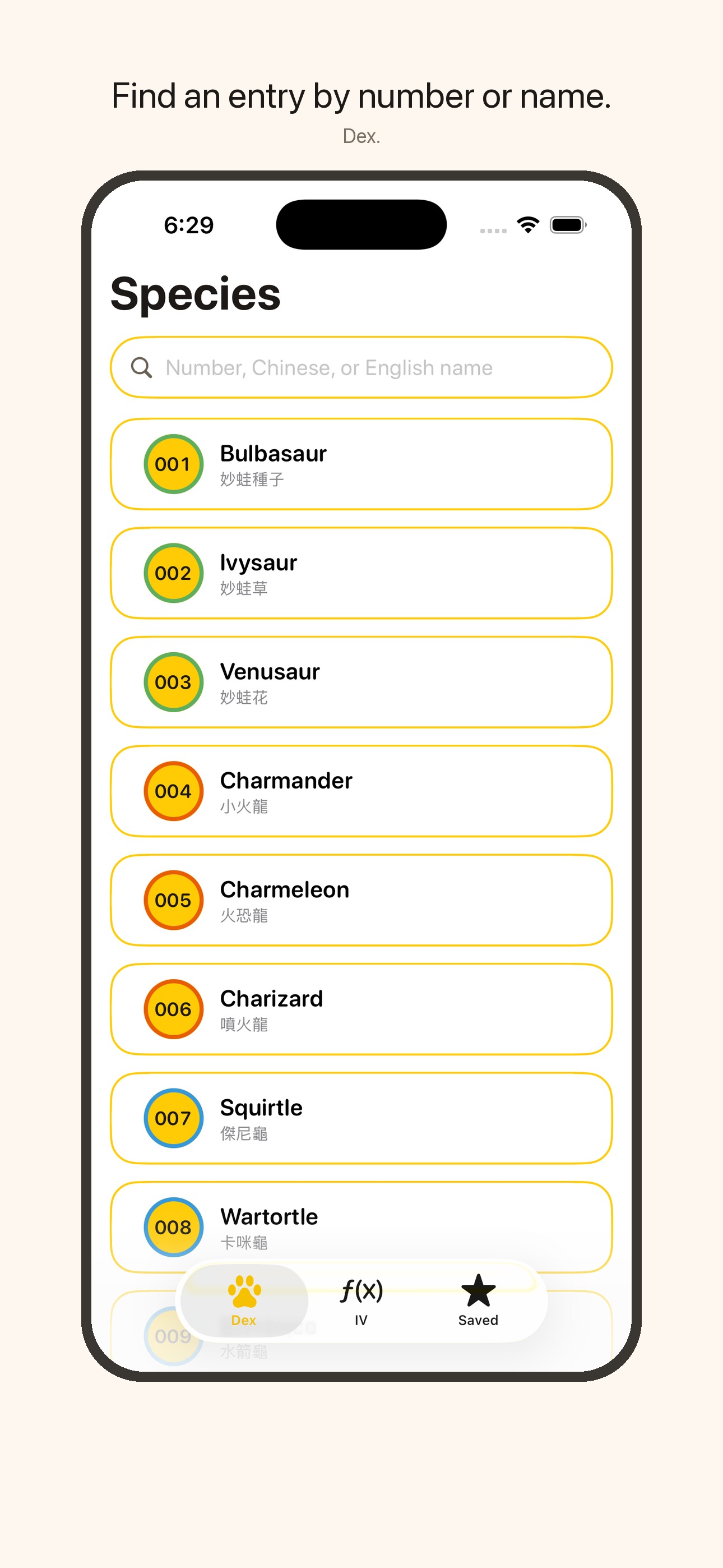
Open the Dex tab. Search by number or by either language’s name, then tap a row. The detail page shows base stats, type, the evolution line, moves, and a slider for CP and HP at each level. Level-50 max CP and HP after evolution are listed there as a reference. This tab does not calculate IVs and has no ad.
2. IV and picking a screenshot
- In the game, open a summary that shows CP, HP, and power-up stardust, and save a screenshot to Photos.
- On the IV tab, tap the yellow Appraise button.
- The first time, allow photo library access so the grid can list pictures. See Privacy.
- Tap one summary. The screen shows a recognizing spinner, then a calculating spinner.
- On success the result covers the same page. Star it to save, or close to return to the IV tab.
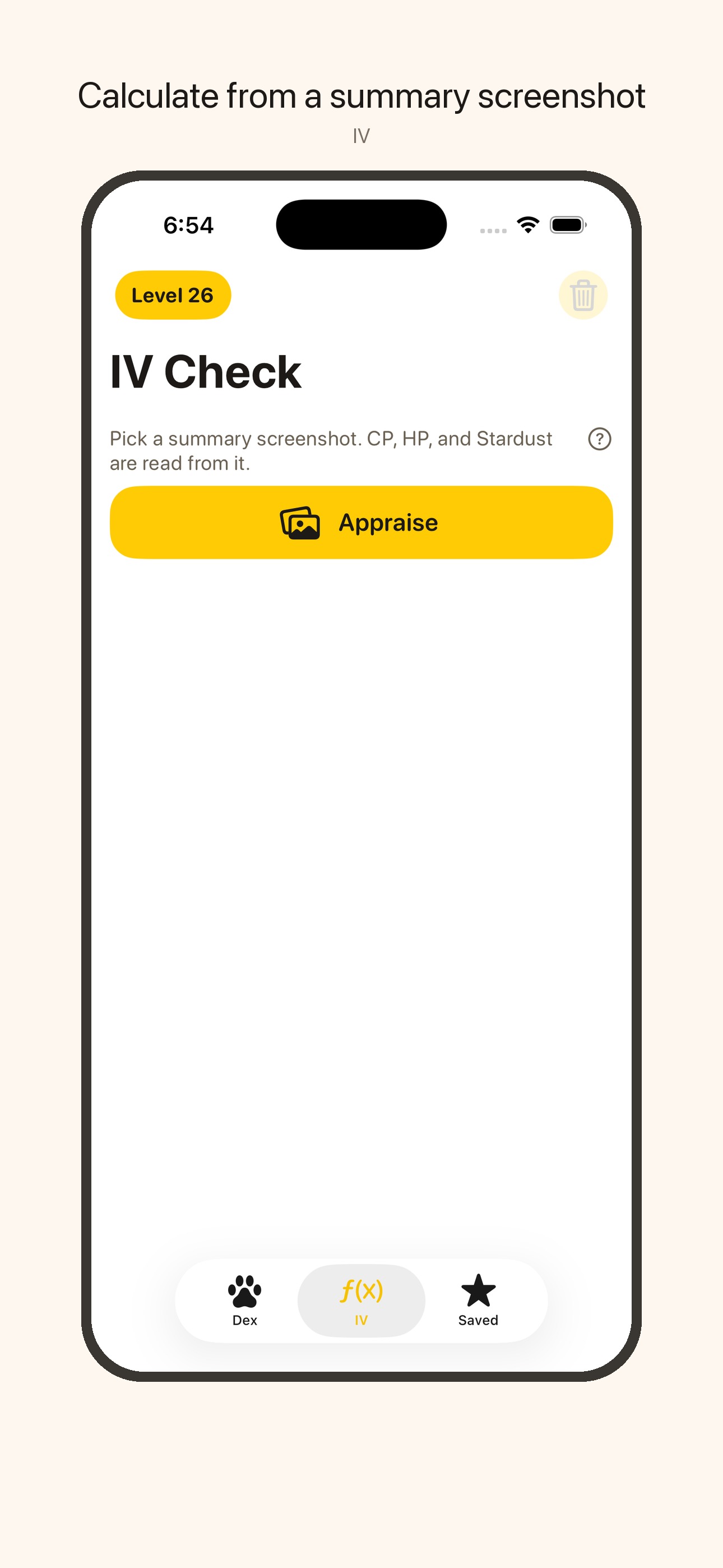
A native ad may sit under Appraise, with history below it. The help button explains that history is kept for 90 days, with no count limit, and that a swipe deletes one row. Saved items do not expire.
3. Trainer level
The yellow capsule at the top left of the IV tab sets trainer level from 1 to 50, or leaves it unset. Tap Done to store it. It only lines up the level on the summary. It does not change how CP is calculated. If one stardust cost still matches two levels, the result asks you to check the trainer level or power up once and calculate again.
4. Results and Saved
Results show the percent ring, attack, defense, and HP IVs, a level slider, and a suggestion. A spread of about 20 points or more shows “?” in the ring. Buddy boost marks that level’s boosted CP and HP. The star at the top right saves the set you are viewing. Close returns to the IV tab. A banner may sit at the bottom. League rankings are not on this screen.
The Saved tab searches by name, number, or CP. Tapping a card shows a loading state, then the result for only the IV set that was saved. The Saved list has no ad.
5. History and the photo grid
- After a successful calculation, that photo’s library identifier is stored. The same summary is hidden in the picker grid the next time you choose a picture.
- Swipe a history row to delete it. The trash button asks first, then clears all history and does not delete Saved. After either deletion, that photo shows in the grid again.
- Opening the IV tab removes history older than 90 days. Saved items stay.